Fix for slow mouse on Raspberry Pi
When using Raspberry Pi Raspbian with some mice, the cursor lags and is slow and feels very unresponsive. Here’s the fix …
When using Raspberry Pi Raspbian with some mice, the cursor lags and is slow and feels very unresponsive. Here’s the fix …
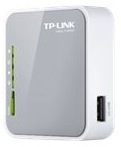 Howto install OpenWRT on an TP-Link MR3020 mini router with external filesystem on a USB stick running a local webserver (lighttpd) to serve up webpages to act as an info point e.g. in a exhibition.
Inspired by the Piratebox Project: http://wiki.daviddarts.com/PirateBox_DIY_OpenWrt
Read More »OpenWRT on TP-Link MR3020 as infopoint with local webserver
Snmpd auf Ubuntu zu installieren scheint einfach zu sein, ist es auch, aber hat bei mir nie wirklich 100% funktioniert. Der snmpd funktionierte immer nur… Read More »SNMPD auf Ubuntu funktionsfähig bekommenGetting SNMPD to work on Ubuntu
But when i tried to ping some other machine, this didn’t work 🙁 I checked /var/log/messages and the onboard Broadcom Interface showed up as eth1, but i was not able to start it. When i ran $ sudo /etc/init.d/networking restart i got some error messages like: SIOCSIFADDR: No such device eth1 eth1: ERROR while getting interface flags: No such device No clue what went wrong, i googled a lot and finally i stumbled upon this forum entry: http://ubuntuforums.org/showthread.php?t=221768 Then i ran: $ ifconfig -a and got a list with my network interfaces and more importantly with it’s MAC address.
i just found out that my Ubuntu Server 6.10 has login shells for almost all users set in the /etc/passwd file! That’s a very bad idea because this maybe enabled someone to install “Data Cha0s Back Backdoor” on my machine 🙁 I checked this with 2 other fresh Ubuntu Server 6.10 installations and both also had the login shells for users like daemon, mail, www-data and so on. Especially www-data should not have a chance to create a shell in my opinion!
The installation script for Flash Media Server works only on RedHat Enterprise by default. With some modifications it works fine on Ubuntu Edgy: apt-get install libnspr4 libstdc++5 libstdc++5-3.3-dev wget http://download.macromedia.com/pub/flashmediaserver/ updates/2_0_3/linux/flashmediaserver2.tar.gz tar xfz flashmediaserver2.tar.gz cd FMS* wget http://www.bluetwanger.de/~mbertheau/fms.patch patch -p1 < fms.patch sudo ./installFMS Live aus der Marschrutka √?¬ª Installing Flash Media Server 2 on Ubuntu 6.10 Edgy this howto is written bei Markus Bertheau, please check the original article and his blog here.
The installation script for Flash Media Server works only on RedHat Enterprise by default. With some modifications it works fine on Ubuntu Edgy: apt-get install libnspr4 libstdc++5 libstdc++5-3.3-dev wget http://download.macromedia.com/pub/flashmediaserver/ updates/2_0_3/linux/flashmediaserver2.tar.gz tar xfz flashmediaserver2.tar.gz cd FMS* wget http://www.bluetwanger.de/~mbertheau/fms.patch patch -p1 < fms.patch sudo ./installFMS Live aus der Marschrutka √?¬ª Installing Flash Media Server 2 on Ubuntu 6.10 Edgy this howto is written bei Markus Bertheau, please check the original article and his blog here.
vim is the commandline text editor vi (improved) and it features syntax highlight and colors. The good thing is, vim is included by default in… Read More »The power of vim